For consultants and small teams
Turn your email, meetings and tasks into a clear plan for the day
QWorker is the AI assistant for people who cannot or will not send client data to US AI services. Chat with your own work and get the next step – with EU-only models by default.
20 free credits · No payment card · No lock-in
- Danish company · CVR 42163627
- EU-only models by default
- Database in the EU (Ireland)
- 30-day satisfaction guarantee
Your work is scattered – and free AI is not made for client data
You know AI can save you time. But only if it knows your work, and only if you are allowed to give it access.
Your work is scattered
Email in one app, meetings in another and tasks in a third. You spend time searching instead of acting.
Free AI is not for client data
In ChatGPT Free and Plus, conversations are used to train the models by default. That is hard to control when everyone uses their own account.
Copy-paste adds up
When the AI does not know your work, you copy emails and notes in yourself – and then move the answer back.
Try QWorker on your own work
20 free credits · No payment card · No lock-in
One assistant that knows your work
QWorker brings email, calendar, tasks and documents together. Then you can ask the way you would ask a colleague.
Know what is urgent
Ask “What do I need to get done today?” and get an answer based on your tasks, email and calendar.
Reply to email faster
Get a draft in your tone. You read it through and decide whether to send it.
From meeting to tasks
Paste your notes after the meeting and get minutes with decisions and tasks.
Keep client data in EU models
EU only is the default, so the chat only uses AI models hosted in the EU.
What you get
- AI chat with model choice
- Projects as boards
- Tasks and routines
- Outlook and Gmail
- Outlook and Google Calendar
- OneDrive and Google Drive
- Your own tools via MCP
Try QWorker on your own work
20 free credits · No payment card · No lock-in
How it works
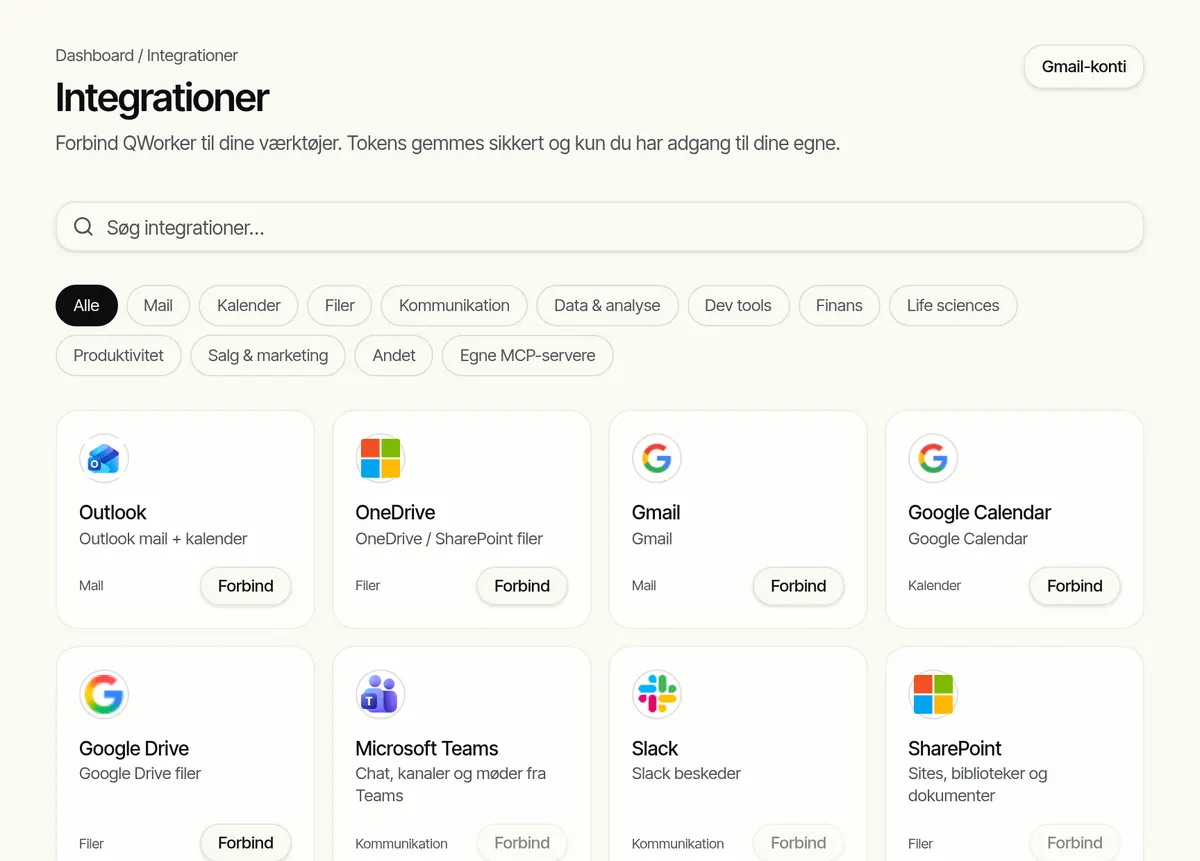
Three steps from sign-up to your first useful answer. The screenshots are taken in QWorker (Danish interface).
1. Connect your tools
Sign in to Outlook or Gmail and connect calendar and files. Each person connects their own account.
2. Ask in the chat
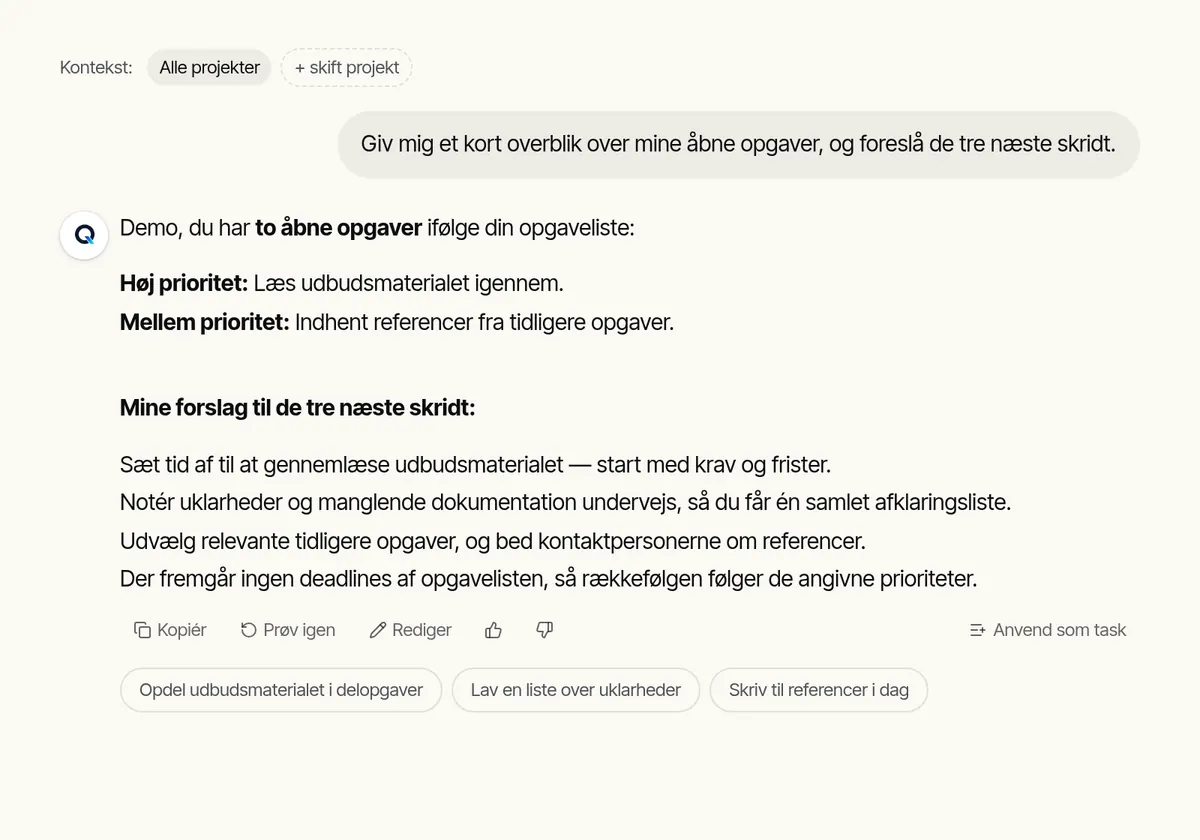
Write the way you would write to a colleague: “Give me an overview of my open tasks.” The answer is based on your own material.
3. Turn the answer into action
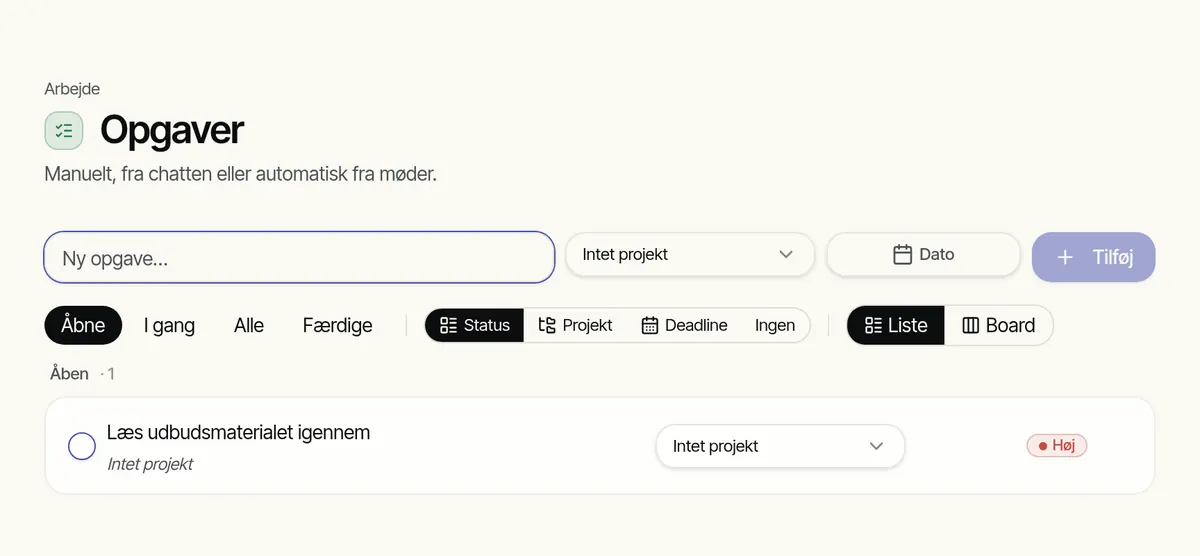
Turn the answer into tasks with one click, and follow them in the list or on your board.
Try QWorker on your own work
20 free credits · No payment card · No lock-in
What you can count on
No client logos or big numbers – just facts you can check.
- Danish company: Q-Analytics ApS, Allerød Stationsvej 4, 3450 Allerød, Denmark, CVR 42163627.
- EU only is the default for new accounts: the chat only uses AI models hosted in the EU.
- The database is in the EU (Ireland).
- You only see your own data. The access rules live in the database itself.
- Access keys for email and other services are stored encrypted per user.
- 30-day satisfaction guarantee: a full refund if you ask for it.
- No lock-in: cancel at any time in the app.
- All sub-processors are listed by name in the privacy policy.
Try QWorker on your own work
20 free credits · No payment card · No lock-in
QWorker vs. ChatGPT and Copilot
Only facts about security, data location and price. Competitor details come from their own pages.
| Topic | QWorker | ChatGPT | Microsoft 365 Copilot |
|---|---|---|---|
| Company | Q-Analytics ApS, Denmark | OpenAI, USA | Microsoft, USA |
| Data location | Database in the EU (Ireland). With EU only (default), the chat models run in the EU. | Free and Plus: no choice of region. Enterprise: data region can be selected by eligible customers. | Covered by Microsoft's EU Data Boundary, with exceptions such as web search. |
| Training on your data | No. The chat models run on Microsoft Azure without training on your prompts. | Free and Plus: yes, by default (can be turned off). Business and Enterprise: no, by default. | No, according to Microsoft. |
| Price | Free DKK 0. Pro DKK 95/month or DKK 950/year incl. VAT. | Free USD 0. Plus USD 20/month. Business USD 25/user/month (USD 20 billed annually), min. 2 users. | Copilot Chat: no extra cost with Microsoft 365. Copilot Business: USD 21/user/month on an annual plan (list price) on top of Microsoft 365. |
Checked 7 November 2026. Competitor prices exclude VAT and may change. Always check the provider's own page.
Try QWorker on your own work
20 free credits · No payment card · No lock-in
Simple pricing in Danish kroner
Start free. Upgrade to Pro when you want to use AI every day.
Free
Try QWorker on your own work.
Free
- 20 free credits when you create your account
- AI chat, tasks and routines
- Up to 3 projects
- No payment card at sign-up
Pro
For people who use AI every day.
DKK 76 excl. VAT
- 200 credits included every month
- Unlimited projects
- Connect email, calendar and files
- Choose EU-only models or all models
- Buy extra credits when you need them – they never expire
- Set a personal credit limit
Frequently asked questions
What is QWorker?
An AI assistant for consultants and small teams. You chat with your email, calendar, tasks and documents, and the answers can become tasks and projects.
Where is my data?
The database is in the EU (Ireland). With EU only, the default for new accounts, the chat only uses AI models hosted in the EU. A few optional features use other providers. They are listed in the privacy policy.
Is my data used to train AI?
QWorker does not train models on your data. The chat models run on Microsoft Azure, which according to its terms does not use your prompts for training.
What does QWorker cost?
Free costs DKK 0 and includes 20 free credits. Pro costs DKK 95 per month or DKK 950 per year incl. VAT and includes 200 credits every month.
Is there a lock-in period?
No. You can cancel at any time in the app. Pro runs until the end of the period. Ask within 30 days of purchase and you get all your money back.
Which tools can I connect?
Outlook, Gmail, Outlook and Google Calendar, OneDrive and Google Drive. You can also connect other tools via MCP.
Can the whole team use QWorker?
Yes. Each person gets their own account and connects their own email, so nobody sees anyone else's data. Book a demo if you want help getting started.
Who is behind QWorker?
Q-Analytics ApS, a Danish company in Allerød (CVR 42163627).
Try QWorker on your own work
20 free credits · No payment card · No lock-in
Book a meeting
30 minutes with QWorker
Pick a time that suits you. We'll walk through your setup and show concretely how QWorker can help with your tasks — using AI models hosted in the EU.
No available times that day — pick another date.